


Mais visibilidade. Mais reservas. Zero reservas duplicadas.








Webflow booking widget


Accept direct bookings with our Webflow booking system for vacation rentals
Love your Webflow design but can't take reservations? Add Lodgify's embeddable booking widget and start accepting direct bookings and payments without rebuilding a thing. Your Webflow booking system for vacation rentals is just a copy-paste away.

Trusted by hosts worldwide
Thousands of vacation rental owners use Lodgify to turn their Webflow websites into booking machines.




Classificação média de 4,8 baseada em mais de 5.000 avaliações
3,400+ reviews
1200+ reviews
3,400+ reviews


Turn your Webflow site into a direct booking engine
Your Webflow vacation rental website looks great. Now make it work harder. Accept reservations and payments without sending guests elsewhere.

Real-time availability on your site
Guests see live dates and pricing pulled directly from Lodgify. No outdated calendars or awkward back-and-forth emails.

Secure payments built in
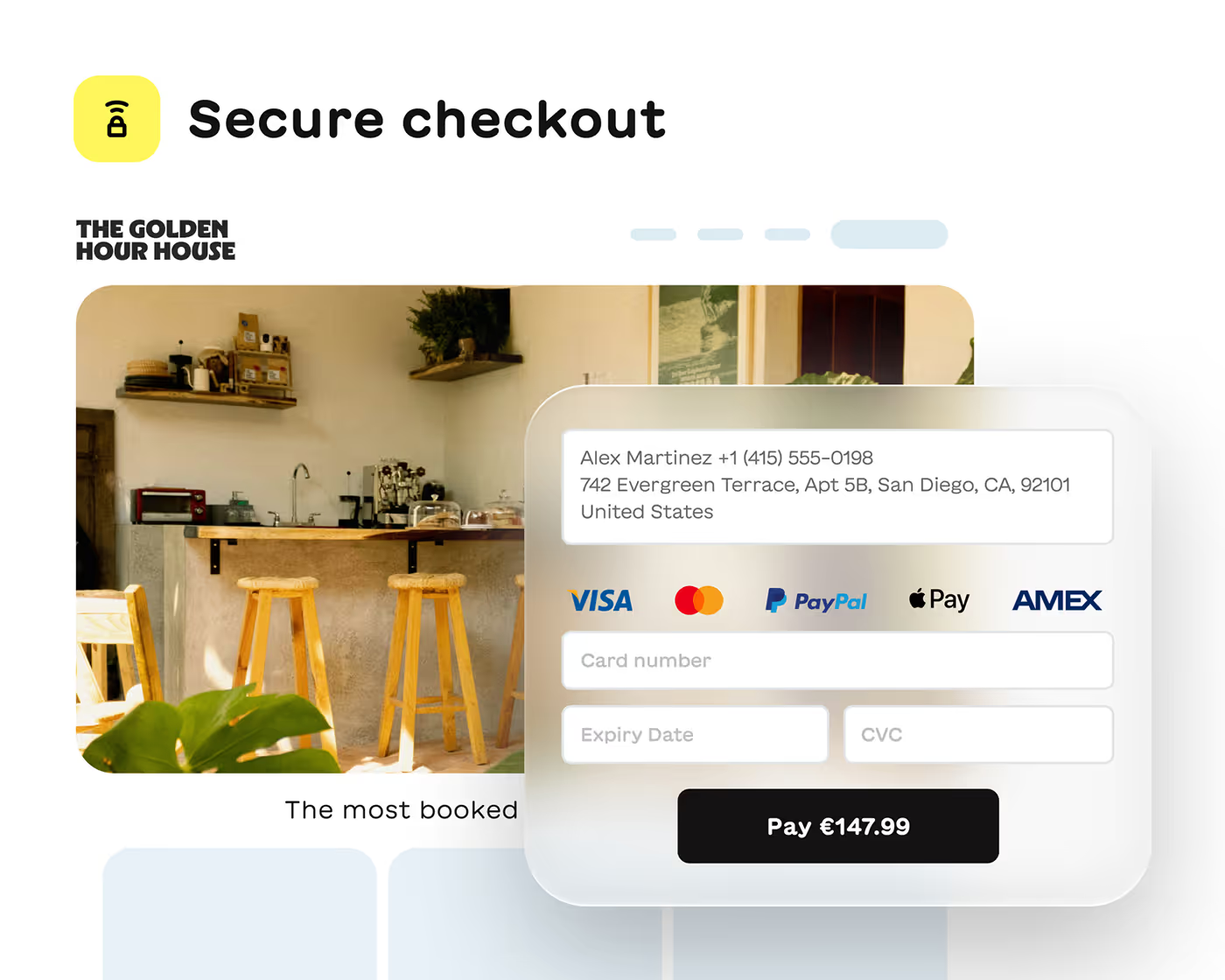
Process credit cards right on your Webflow site with HTTPS and SSL encryption. Guests book with confidence and you get paid faster.

A Webflow vacation rental booking calendar that syncs everywhere
Every booking on your Webflow site instantly updates your Lodgify calendar and all connected channels. No double bookings. No manual updates.
Syncs with Airbnb, Vrbo, Booking.com
One calendar for all reservations
Automatic availability updates
No more double bookings
More than just a booking plugin
You get the Webflow booking widget plus everything you need to run your rental business. Manage reservations, guests and channels from one place.

Channel manager included
Connect to Airbnb, Vrbo and Booking.com. When a guest books anywhere, availability updates everywhere automatically.

Unified inbox for all messages
Guest messages from your website and booking sites land in one inbox. Respond faster without switching between platforms.
How to Add a Webflow booking system for vacation rentals
No coding skills. No expensive developers. Just copy, paste and start accepting reservations on your Webflow site today.
1.
Generate
2.
Customize
3.
Embed
4.
Go live
5.
Accept bookings
Create your booking widget
Log into Lodgify and generate your embed code. Choose your booking flow: instant booking or quote requests. It takes about two minutes.

Match your Webflow design
Adjust colors, fonts and button styles so the widget looks like it was built into your site from day one. Your branding stays consistent.

Paste into Webflow
Add an Embed component to your Webflow page and paste the code. That's it. No plugins to install or configure.

Display real-time availability
Your widget pulls live pricing and availability from Lodgify. Guests see accurate dates and rates every time they visit your site.

Reservations happen on your site
Guests search dates, see pricing and complete their booking without leaving your Webflow site. Every reservation syncs to your calendar instantly.

Keep your Webflow site. Add direct bookings.
Turn your site into a revenue machine with our Webflow booking plugin for vacation rentals. Accept payments instantly without redirecting guests. Every booking syncs with your calendar and channels like Airbnb and Vrbo. No double bookings. No commission fees. Just more bookings and total control over your business.

Descubra o que os nossos clientes têm a dizer
No items found.
Trusted by thousands of hosts
Hosts managing everything from one beach house to entire portfolios rely on Lodgify to keep operations running smoothly.
Classificação média de 4,8 baseada em mais de 5.000 avaliações
3,400+ reviews
1200+ reviews
3,400+ reviews
Still have questions?
Can I add a booking system to my existing Webflow vacation rental website?
Yes. Lodgify's booking widget works with standard Webflow websites. You simply add an Embed component to your page and paste the code we generate for you. No need to rebuild your site or hire a developer. Your existing design stays exactly as you built it.
What are the benefits of using a Webflow booking plugin for vacation rentals?
Direct bookings mean no commission fees to booking sites. Guests complete reservations on your site, which builds trust and keeps them in your brand experience. Plus, Lodgify syncs every booking with your calendar and connected channels like Airbnb, Vrbo and Booking.com automatically.
Does the Webflow vacation rental booking calendar sync with Airbnb and Vrbo?
Yes. When a guest books through your Webflow site, those dates instantly block on all your connected channels. When someone books on Airbnb, your Webflow calendar updates too. No manual work and no risk of double bookings.
Do I need coding skills to add the booking widget to Webflow?
Not at all. Lodgify generates the embed code for you. In Webflow, you add an Embed component to your page and paste the code. If you can copy and paste, you can set this up. Most hosts have it working in under 15 minutes.
Can I customize how the booking widget looks on my Webflow site?
Yes. You can adjust colors, fonts and button styles to match your Webflow design. The widget blends into your site so guests see a consistent brand experience from browsing to booking.
Does the Webflow booking system work for multiple vacation rental properties?
Yes. If you manage more than one property, you can display a search function that lets guests browse your full portfolio. Each property shows its own availability and pricing. All reservations flow into your Lodgify calendar organized by property.
How do guests pay when they book through my Webflow site?
Guests enter their credit card details directly on your site. Payments process securely through Lodgify Payments or your connected payment gateway. All transactions use HTTPS and SSL encryption to protect sensitive data. You get paid and guests book with confidence.